MagicPay SDK
The SDK is the right entry point when you own the surrounding agent, browser, or backend runtime and need MagicPay as the Memory request layer.
Install
Use the public package in trusted Node or TypeScript runtimes.
npm i @nuanu-ai/magicpay-sdkClient Responsibilities
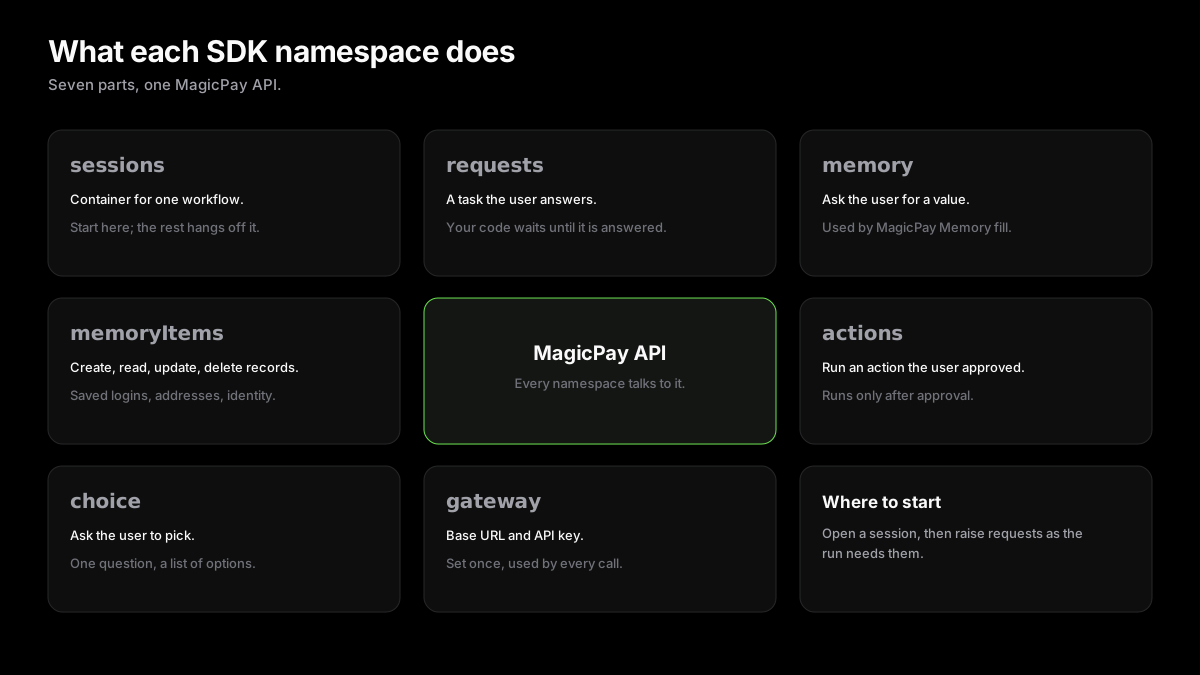
The SDK handles communication with MagicPay. Your app still owns browser control, provider calls, UI, and what happens after a protected result is returned. For browser fields, the host adapter supplies exact targets and MagicFill performs only protected actuation.
- Create workflow sessions.
- Resolve protected field values through user-approved requests.
- Run protected actions such as a payment authorization.
- Ask the user to choose from runtime-provided options.
- Create hosted links when a request or session needs to move back to a MagicPay-controlled UI.
- Wait for request results without writing custom polling.
Security Rule
Treat request artifacts as short-lived handoff material. Do not log them, print them, store them in prompts, or give them to the LLM.