Omnichannel UI
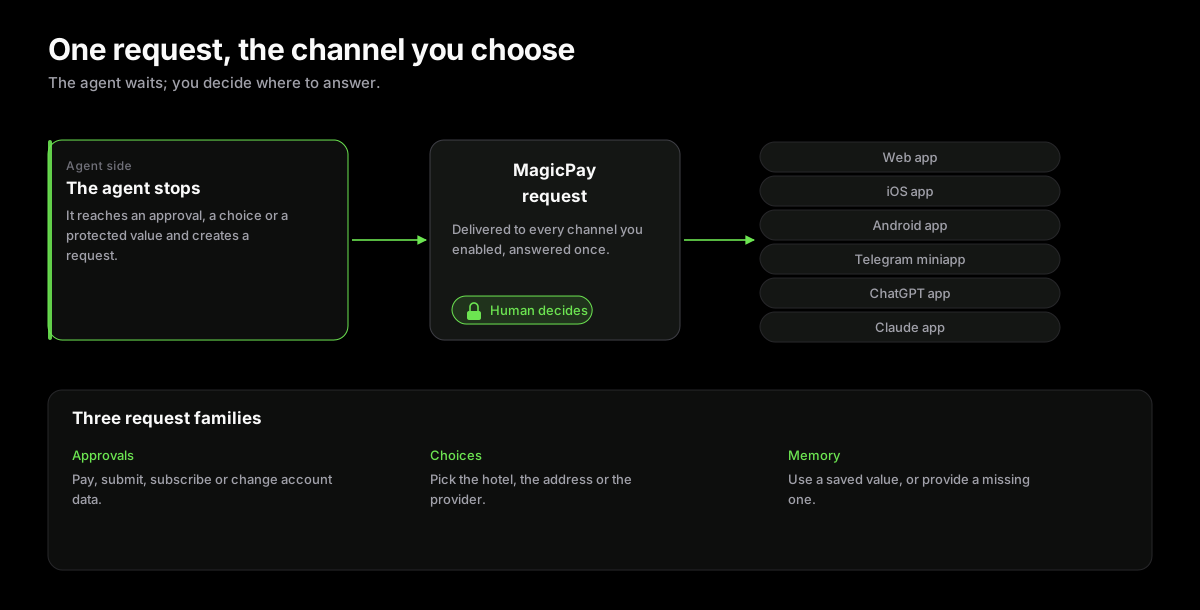
MagicPay supports a growing set of user-facing apps so agents can request approval, ask for missing data, and show progress without exposing protected values in chat.
- Approval and session control across web, iOS, Android, Telegram, ChatGPT, Claude, and the browser extension.
- Choice, Memory, OTP, Memory fill, and payment requests share one request flow.
- Users supervise actions from their preferred channel while agents continue through a stable API.
- The UI is user-friendly and agent-friendly: lower friction without removing human authority.
Side Channel For Human Control
MagicPay is backed by an omnichannel UI because agentic payments still need a side mechanism for approvals, management, choices, and reviewing saved data. The goal is to make work seamless for the agent, but some moments should leave the agent loop and return to the human: approving money movement, choosing between options, checking request details, managing MagicCard balance, or deciding whether a secret can be reused. People are already used to UI for sensitive decisions, so MagicPay lets the user choose the platform that fits the moment while the agent continues through the same backend request contract.
Web App
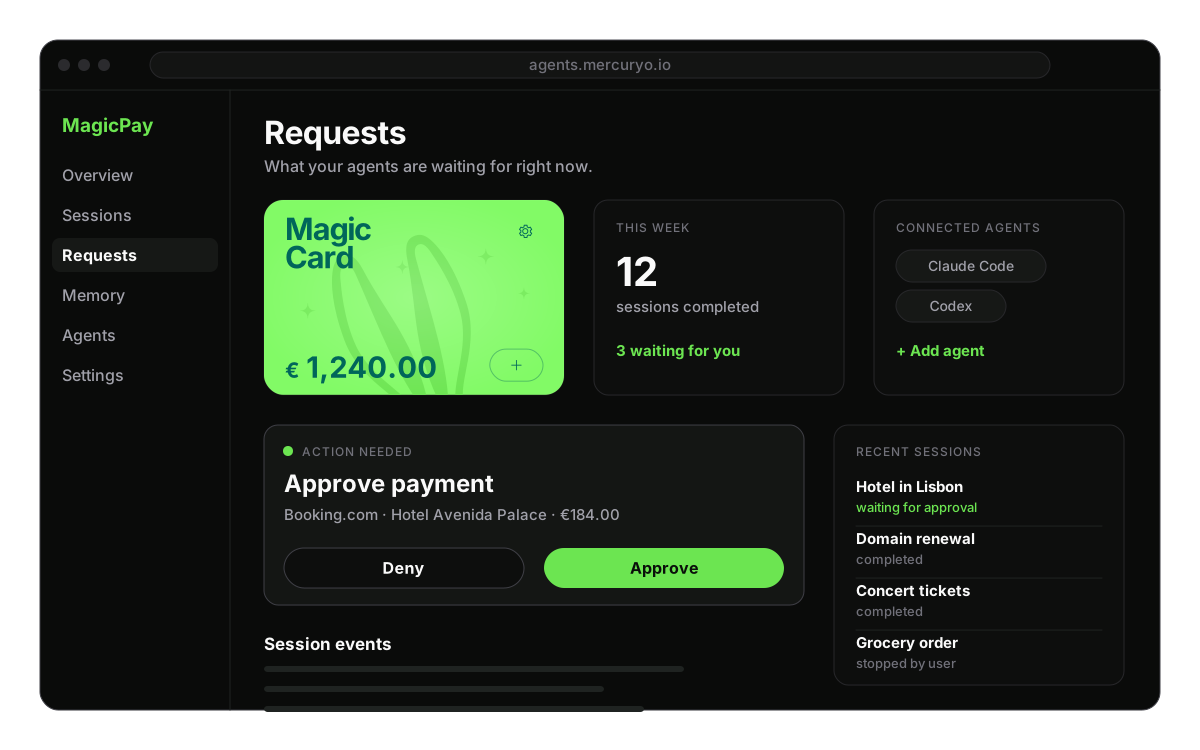
The web app is where you manage MagicPay. Users can review payment sessions, inspect request history, manage MagicCard state, configure request channels, edit MagicPay Memory, and see what an agent is waiting for. Use it for setup, account-level changes, and reviewing details before a higher-risk approval.
Mobile Apps
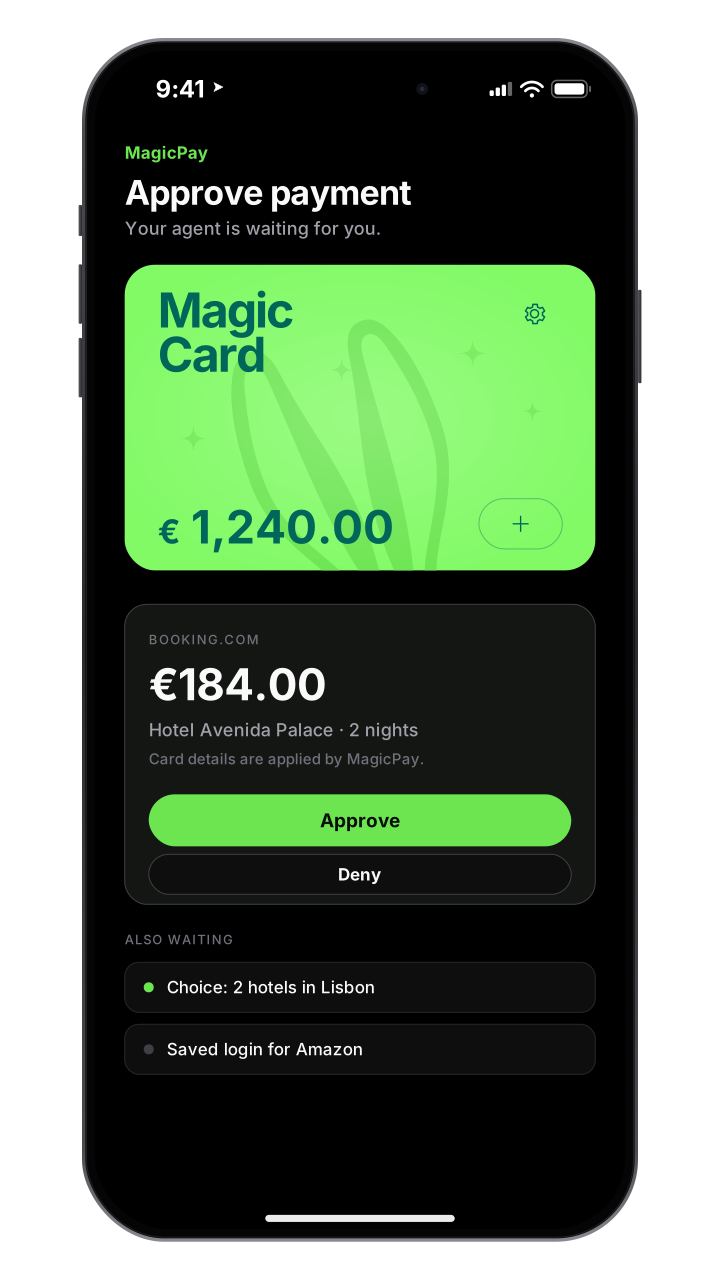
Mobile is the fast way to approve. A user can approve a payment, answer a choice request, review a Memory fill request, or check a session while away from the desktop where the agent is running. Mobile keeps the human decision close without forcing the checkout workflow back into chat.
Telegram Miniapp
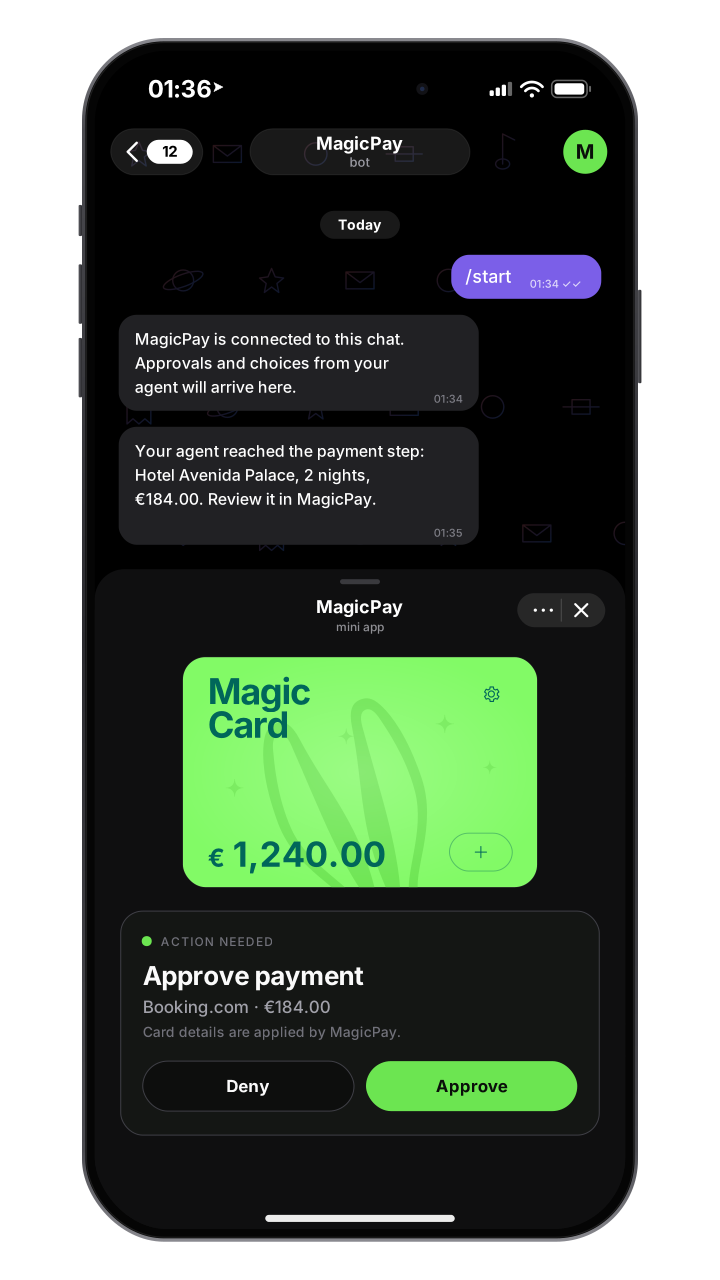
Telegram is a lightweight request channel for users who want approvals and session updates in an app they already keep open. It is useful for quick choice requests, onboarding handoffs, secure review links, and notifications that bring the user back into MagicPay when a protected action is needed.
ChatGPT App
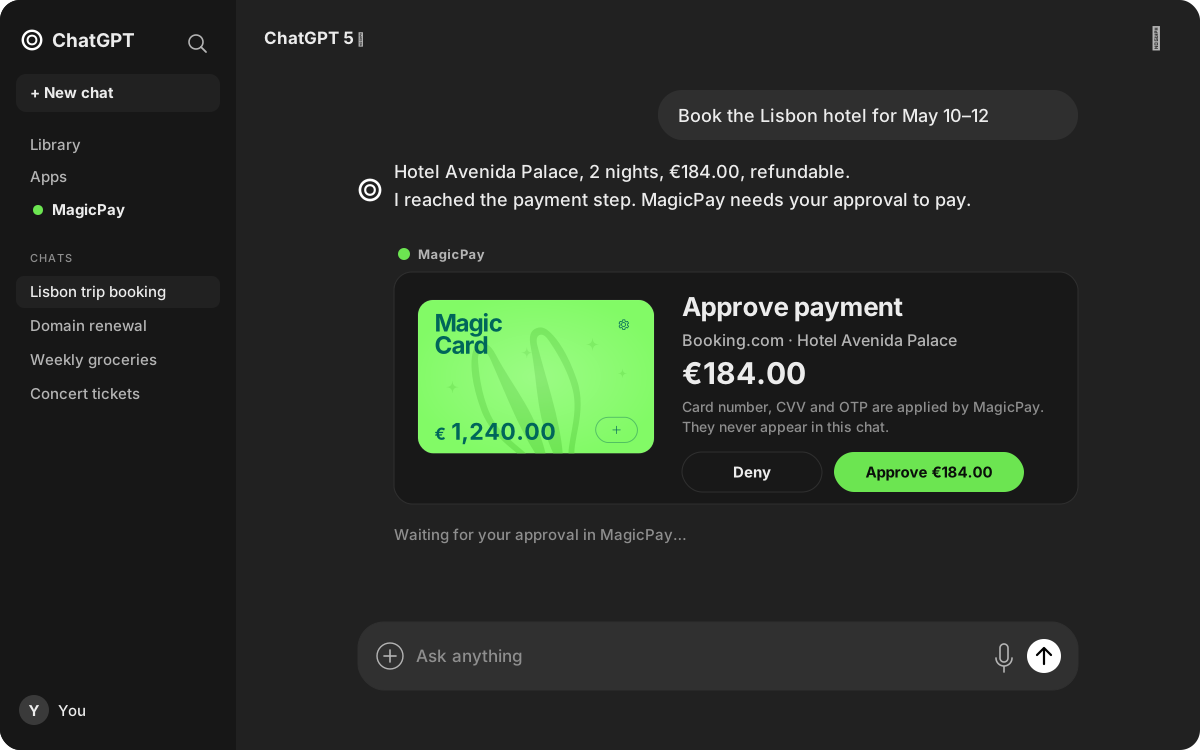
The ChatGPT app puts MagicPay next to the conversation without putting protected values into the chat transcript. It can show account state, sessions, requests, and Memory summaries while keeping payment approval and secret handling on the MagicPay request path.
Claude App
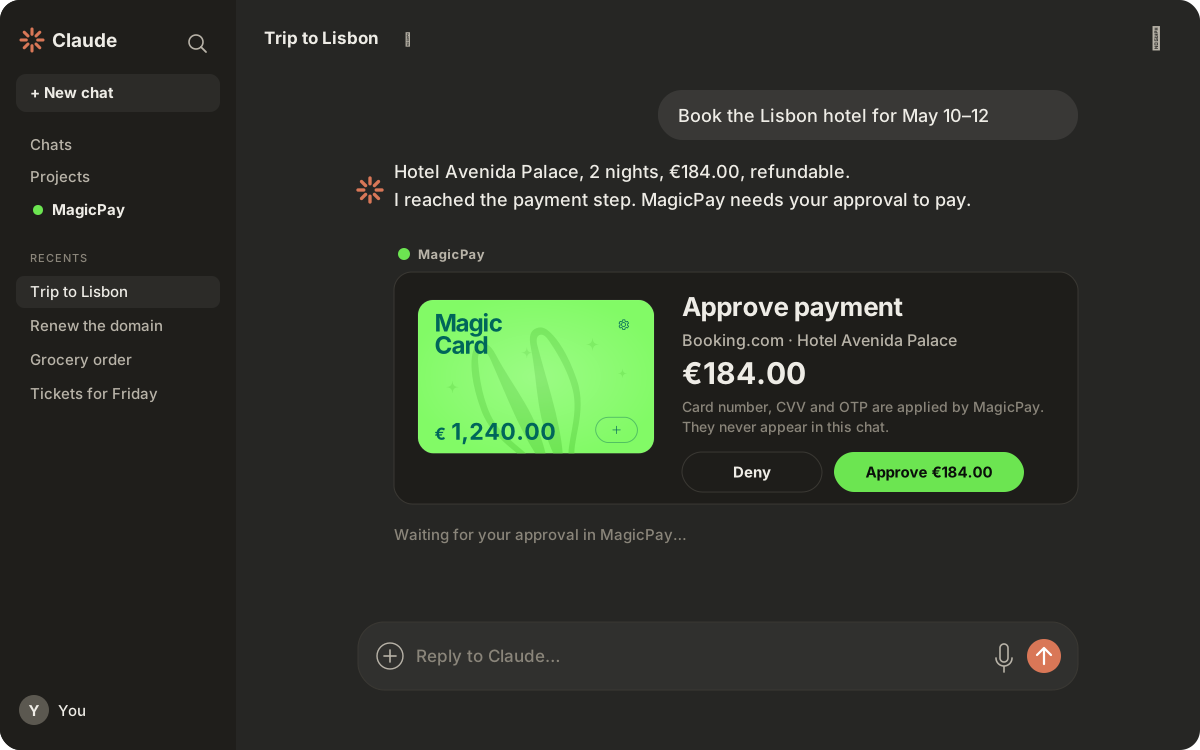
The Claude app follows the same model for Claude-compatible workflows. It lets users supervise MagicPay sessions and requests near the agent conversation, while raw secrets, card data, identity values, and final approvals stay inside MagicPay requests.
Request Types
Every app wraps the same backend request model. The display differs by channel, but the agent contract stays stable: the agent creates or waits on a request, the user resolves it through a side UI, and the agent receives a safe result. The three most important request families are choices, Memory, and approvals.
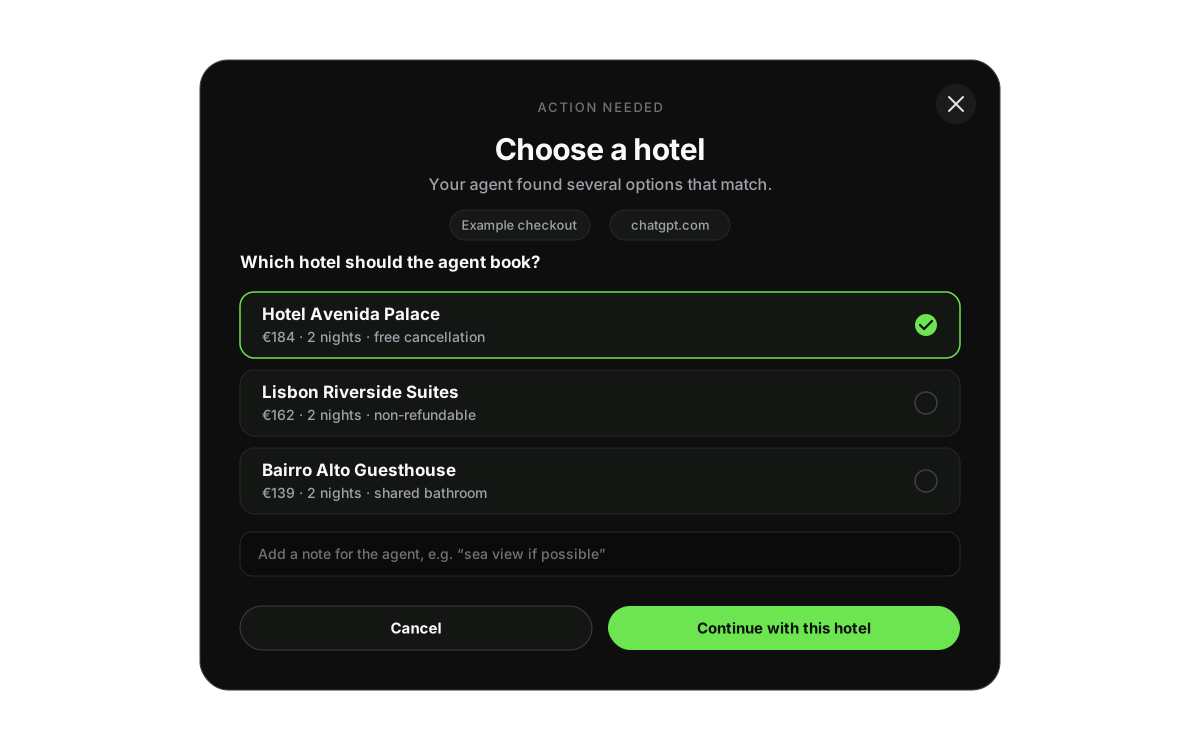 Choices Used when the agent finds several viable products, routes, addresses, documents, or checkout targets. The user picks the right option and can add notes that guide the next step.
 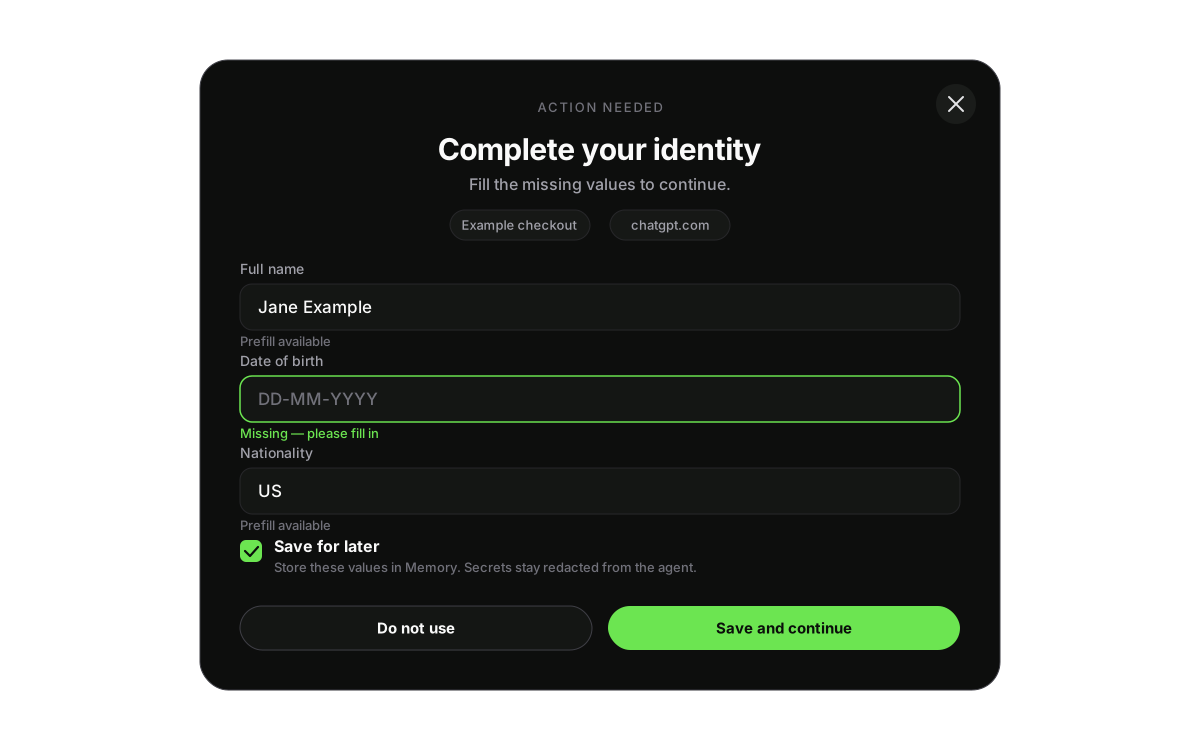 Memory Used for Memory reads, missing-field collection, and Memory writes. Passwords, identity data, card values, OTPs, and reusable checkout fields stay on the MagicPay request path instead of chat.
 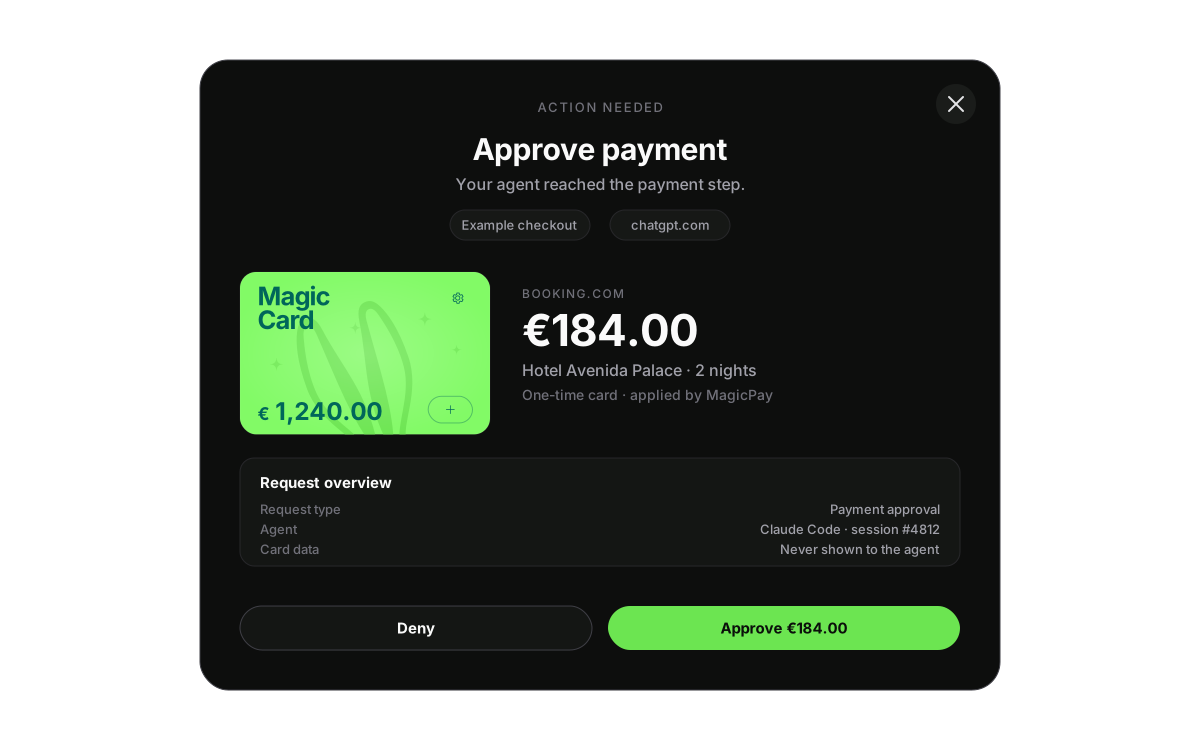 Approvals Used for payment execution, protected form fill, final submit, subscription setup, account changes, and other consequential actions. The user approves the action before execution continues.
 Runtime Contract
A MagicPay request stops agent execution and moves the sensitive decision to a side mechanism outside the agent. Protected form filling also happens outside the agent: MagicPay resolves the request, MagicPay Memory fill writes the data through the trusted path, and the agent only receives the result. The agent can then continue execution with safe state such as approved, denied, selected option, filled, or failed, without access to sensitive data or permission to perform untrusted actions directly.