Manage Memory
Saved Memory items reduce repeated questions while protected values stay behind MagicPay requests.
- Save logins, addresses, identity details, and cards once — reuse them in every session.
- Each item holds fields; secrets are redacted from ordinary reads.
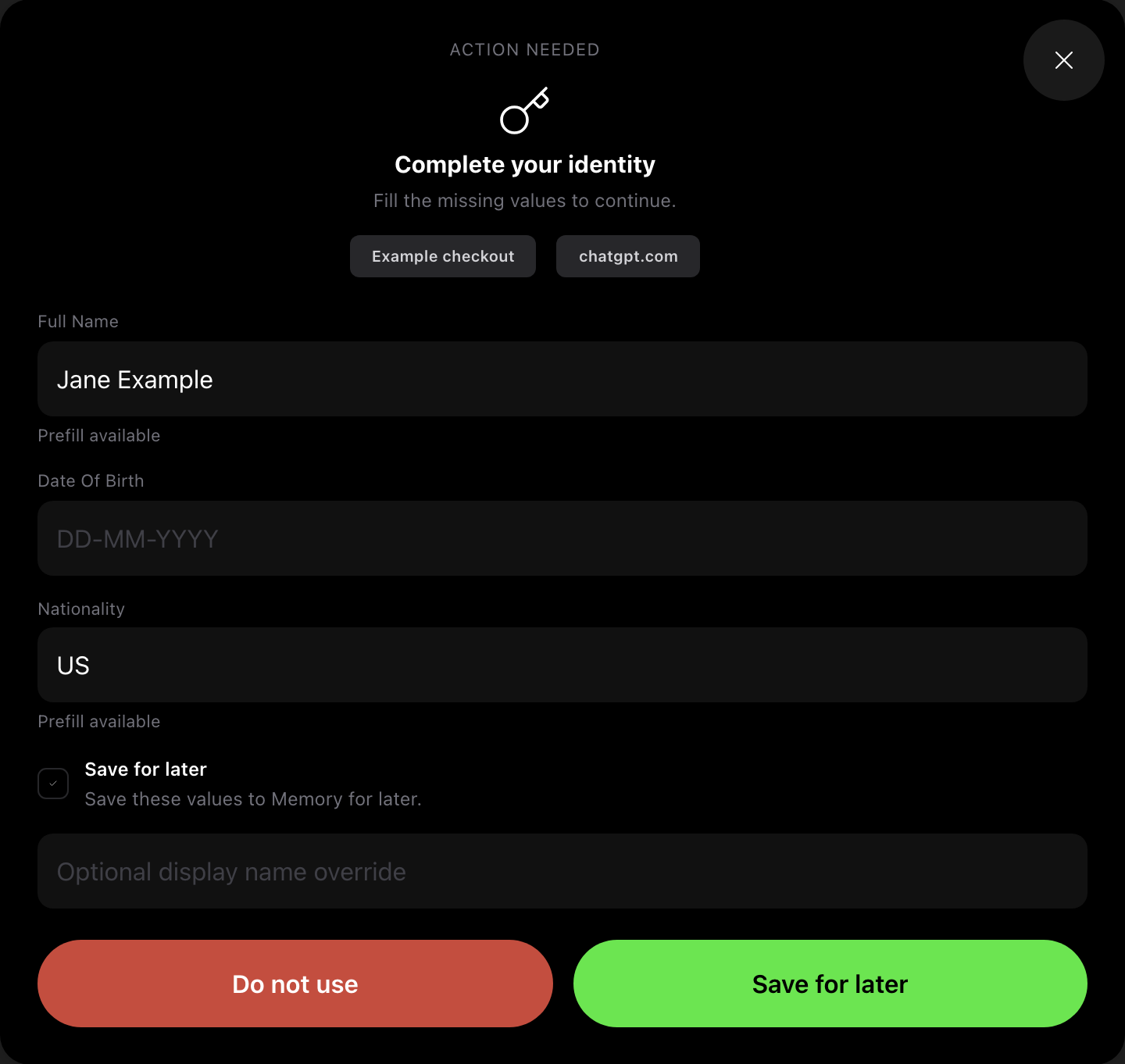
- When a value is missing, MagicPay asks you, not the agent.
- Reuse is approved per request, in the same channel as payments.
Add Memory Before A Session
Use the MagicPay app to add the data you expect agents to need: marketplace logins, delivery addresses, identity details, and travel-document information. Each record is a Memory item that holds related fields, and every field can be marked as a secret.
- Open Memory in the web app and create a new item.
- Give it a label you will recognize in an approval request, for example "Booking.com login".
- Add the fields the checkout will need. Mark passwords, card numbers, and document numbers as secrets.
- Scope the item to a site when it belongs to one merchant.
Save Memory During A Session
When the agent reaches a field with no saved value, MagicPay asks you for it instead of letting the agent ask in chat. You can store the answer for next time in the same request.
Approve Reuse
Later sessions ask for access to a stored item. You approve or deny in the same channel you use for payment approvals, and the agent gets only the result — never the value.
- Keep account credentials, identity details, and payment values out of agent chat.
- Scope a Memory item to one site where possible, so it is not offered on every checkout.
- Review old items when a marketplace account or identity document changes.