Troubleshooting
Use this page when a checkout, a Memory request, a value that will not resolve, or a payment action is stuck.
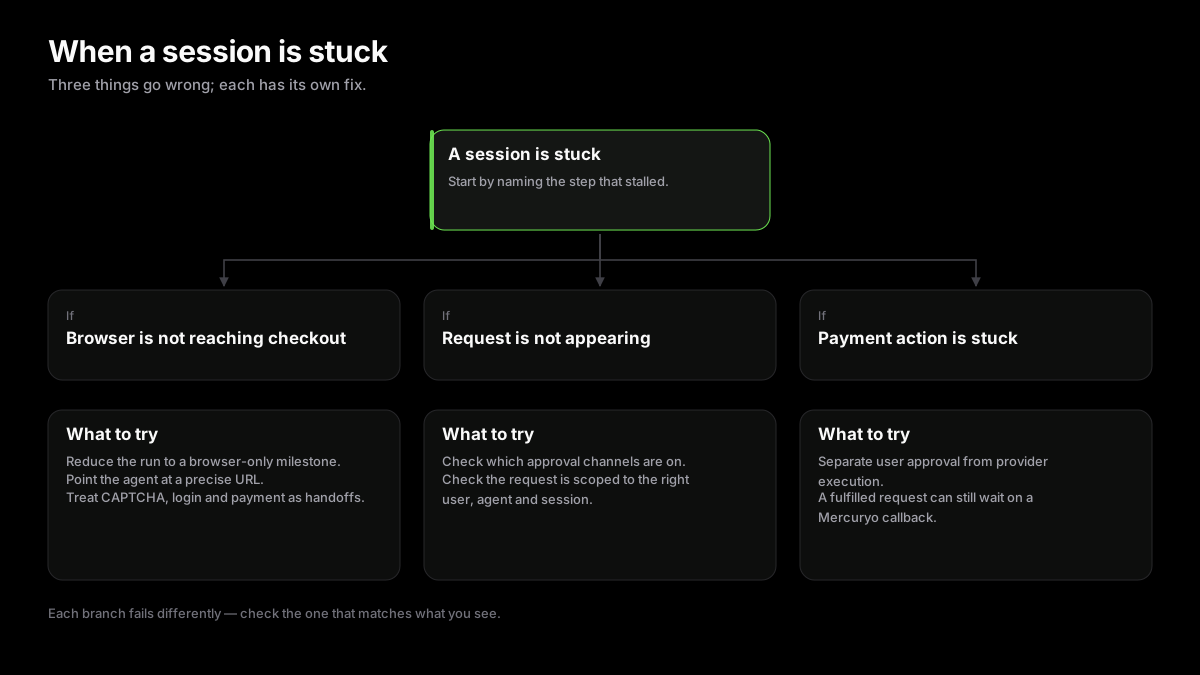
First Checks
Start by separating browser progress, MagicPay request state, and provider payment state. Most failures become clear once you know which step is waiting.
- Confirm the session id and client request id are stable and visible in logs.
- Confirm the user has at least one enabled approval channel.
- Check whether the agent is waiting on provider execution, built-in browser, a request artifact, or a provider callback.
- Never retry by asking the user to paste protected values into chat.
built-in browser Cannot Reach Checkout
If built-in browser cannot reach a checkout, reduce the task to a browser-only milestone. Ask it to reach the cart, provider handoff, or visible protected step before involving MagicPay Memory fill.
- Use a precise merchant URL when possible.
- Use MagicSearch when the agent needs provider-method guidance.
- Treat CAPTCHA, login, and payment pages as handoff points instead of failures.
Request Not Appearing
If a request is created but not visible to the user, check request channel configuration and whether the request is scoped to the expected user, agent, and session.
Memory Value Not Resolving
If MagicPay Memory cannot resolve a value, verify the field purpose, merchant context, candidate item, and user approval path. Missing data should become a write request, not an LLM-visible chat question.
Payment Action Stuck
If a payment action is stuck, distinguish user approval from provider execution. A fulfilled request may still wait for a provider callback, webhook replay protection, or card/provider state update.
Payment Account Or Card State
For provider-backed issues, check account link status, KYC status, questionnaire and phone prerequisites, spend-card issuance, balance sync, top-up transaction state, and signed webhook ingress.